
Periodic Table
Accessible Periodic Table of Elements
What Makes a Periodic Table Accessible?
To be fully accessible, a periodic table should be structured so that it is:
- Keyboard navigable: students must be able to navigate through the elements without manipulating a mouse.
- Screen reader accessible: text must be readable by a screen reader.
- Scalable: zooming in should not cause the table to become fuzzy or otherwise difficult to read.
- Colorblind friendly: the table should either be readable in grayscale mode or else not rely on color alone to convey information (e.g. element type).
Unfortunately, some of the premade "accessible" periodic tables miss on this last count because their design focuses more narrowly on accessibility for blind individuals rather than all forms of vision impairment.
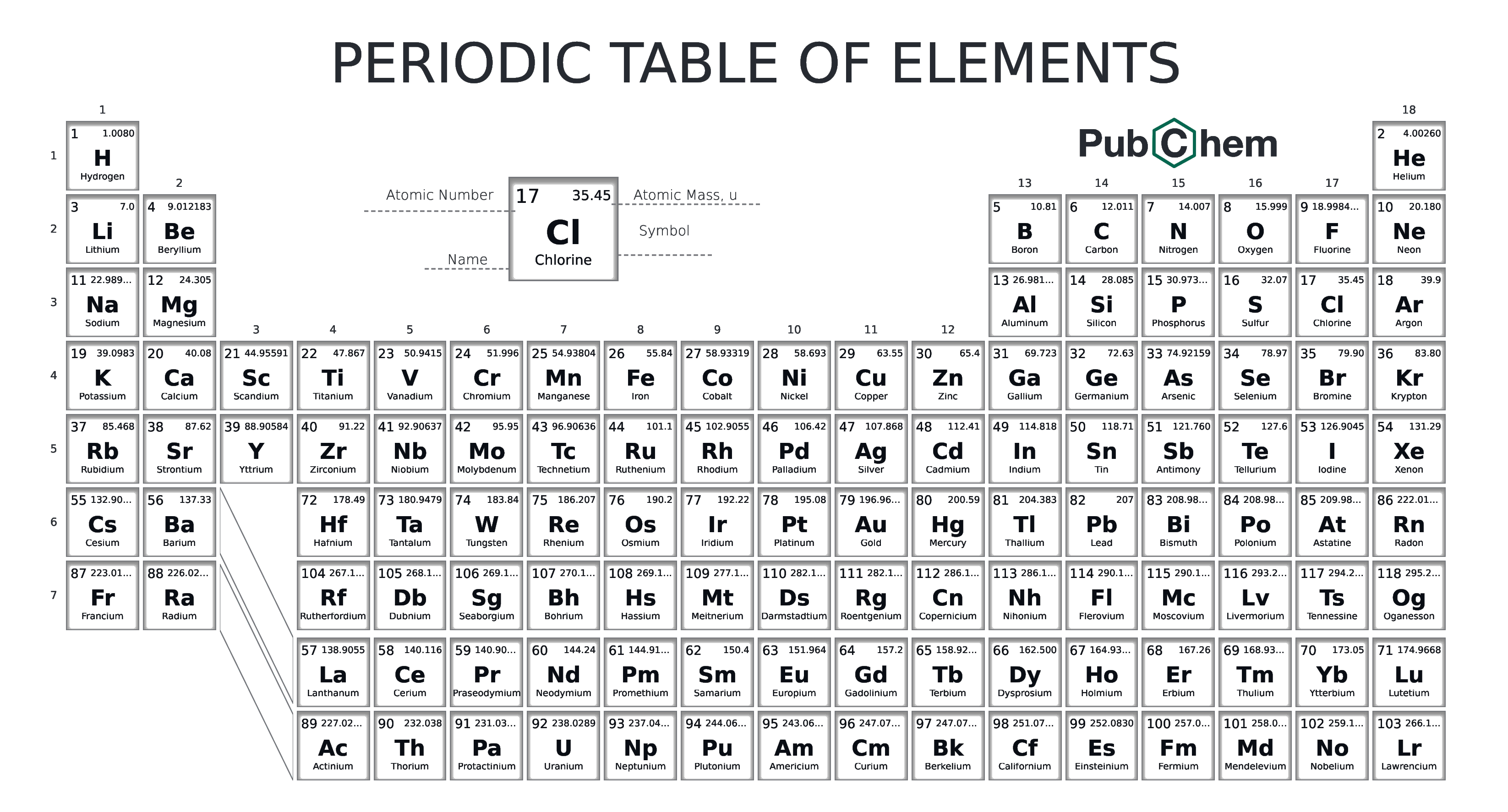
Example 1: Introducing the Periodic Table
A simple introduction to the periodic table. The alt text on the image reads: "The periodic table of elements. Link to accessible PDF version provided below.
Example 2: Introducing Diatomic Elements
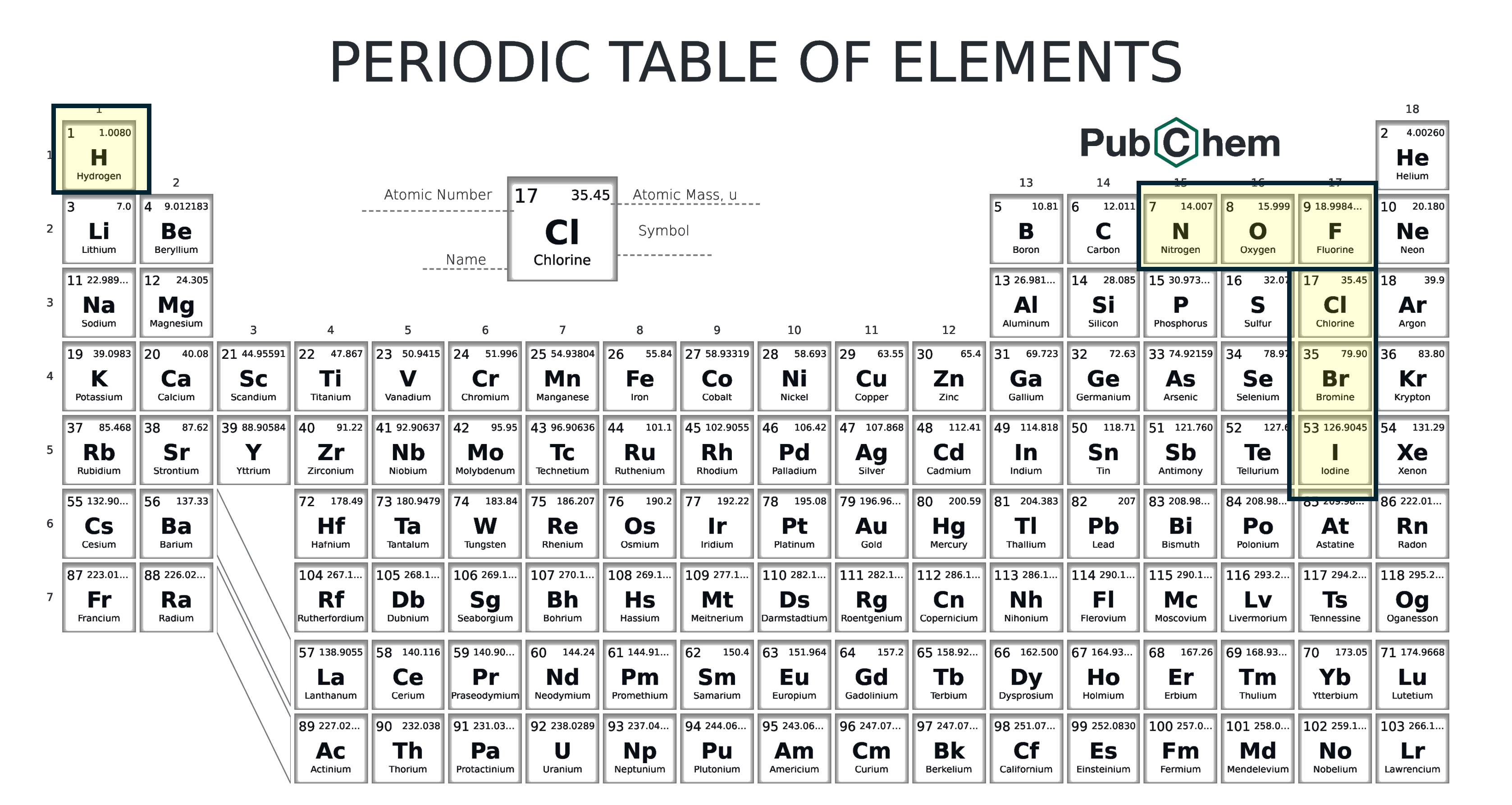
An introduction to the diatomic elements. The alt text on the image reads: "A periodic table with seven elements highlighted"
Extended Description for Figure 2
- Hydrogen (1)
- Nitrogen (7)
- Oxygen (8)
- Fluorine (9)
- Chlorine (17)
- Bromine (35)
- Iodine (53)
Example 3: Periodic Table Trends
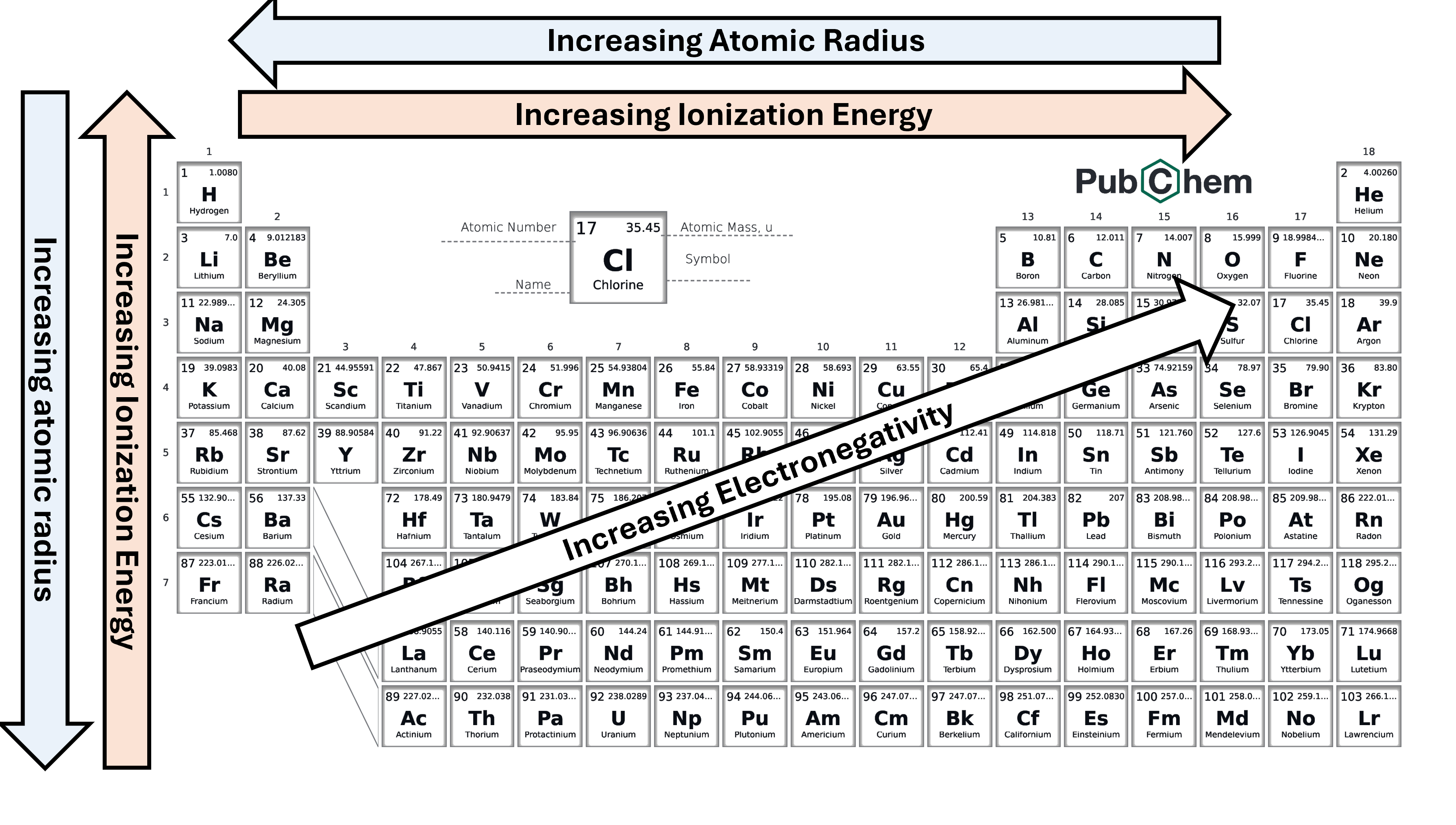
A common illustration of periodic table trends. The alt text on the image reads: "A periodic table with multiple arrows indicating atomic trends."
Extended Description for Figure 3
The arrows on the periodic table are labeled as follows:
- Increasing atomic radius
- right to left arrow
- up to down arrow
- Increasing ionization energy
- left to right arrow
- down to up arrow
- Increasing electronegativity
- diagonal arrows from bottom left point towards fluorine (9)
Note: If information is already visible and explained fully on a page, it does not need to be repeated in an extended description. For example, if a slide already says "atomic radius increases from right to left and top to bottom" in text you don't need to repeat that in an extended description.
See also WebAIM's Accessible Image and WebAIM's Alternative Text for more general information on alt text.